.png)
Candidate Access Settings in TestTrick
The Candidate Access settings allow you to control how candidates access and resume an assessment. These options help ensure secure access while providing flexibility to manage interruptions and link validity.

Validity of Assessment Invitation Link
- Defines how long the assessment invitation link remains active.
- You can set the validity for up to 30 days.
- Once the validity period expires, the candidate will no longer be able to access the assessment using the same link.
Managing Expired Assessment Links
- If a candidate’s link expires, the candidate will be flagged as “Expired Link” in the assessment detail page.
- You can extend the access period for that candidate by updating the link expiry date.
- After extending the date, you can send a reminder to allow the candidate to start or continue the assessment.
Click the “Extend Date” link shown next to the candidate’s status to update the validity period.

Customizable Public Link and Completion Message
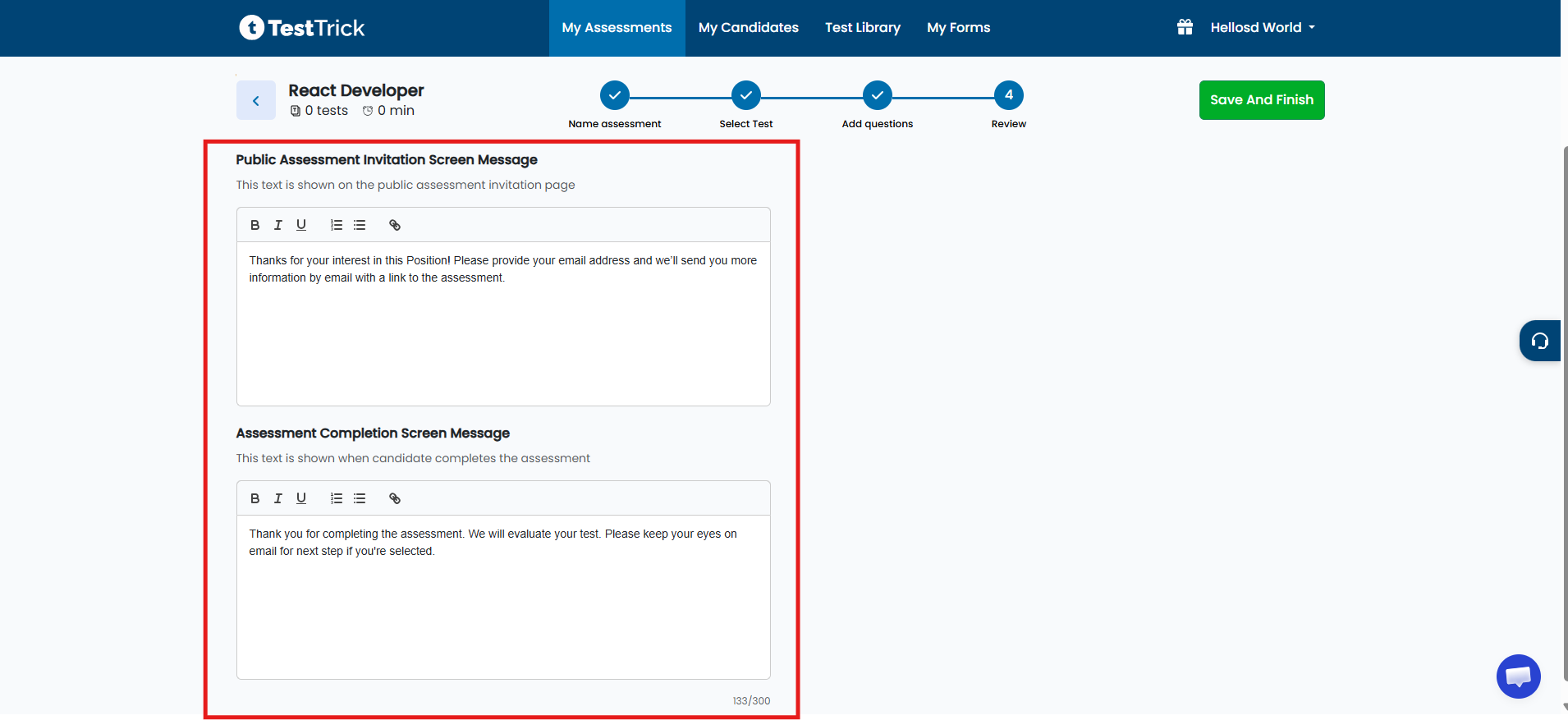
You can customize candidate-facing communication directly from the Candidate Access step (Step 4).
-
-
Public Link Content:
Customize the message displayed on the public link page where candidates enter their details (such as name
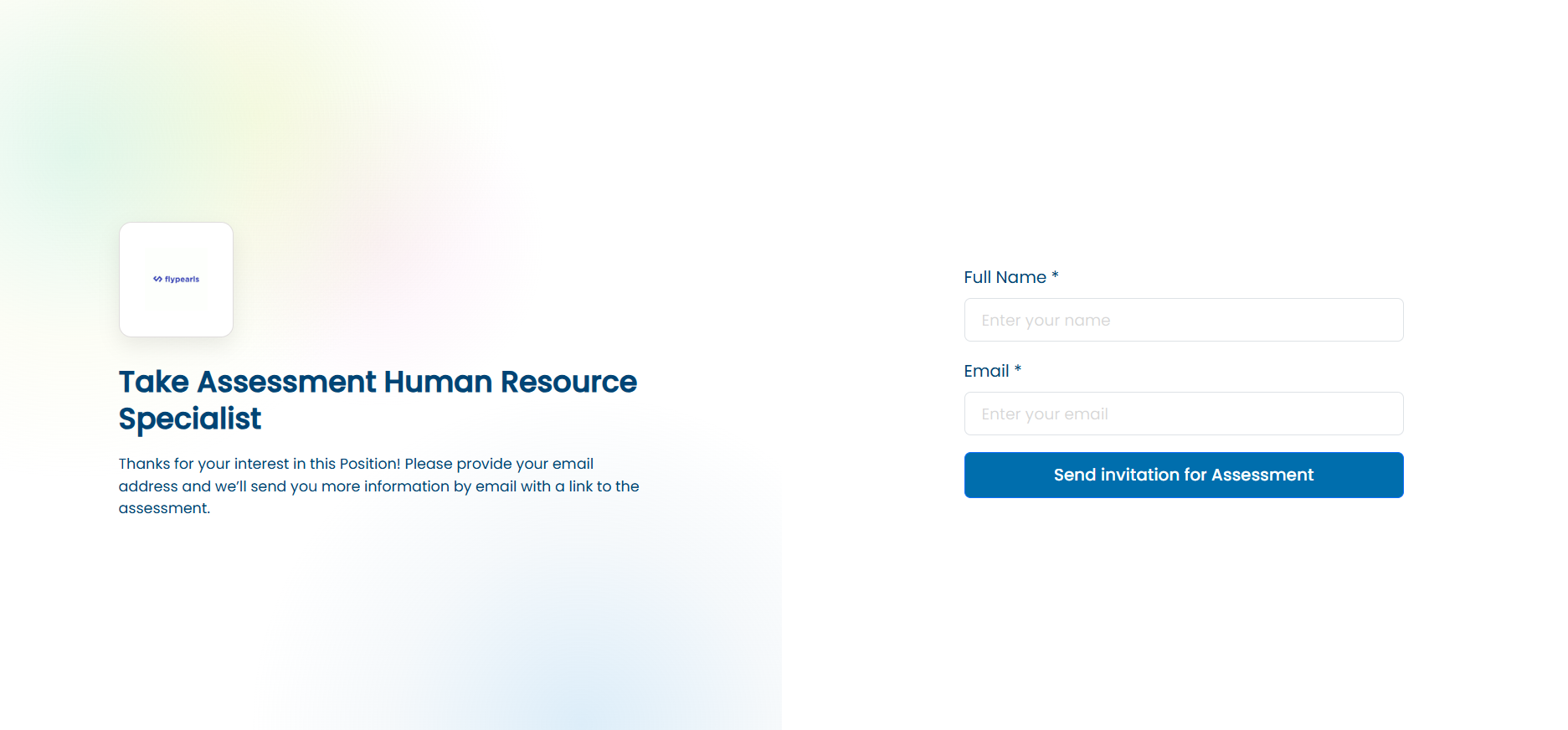
and email) to receive the assessment link
-
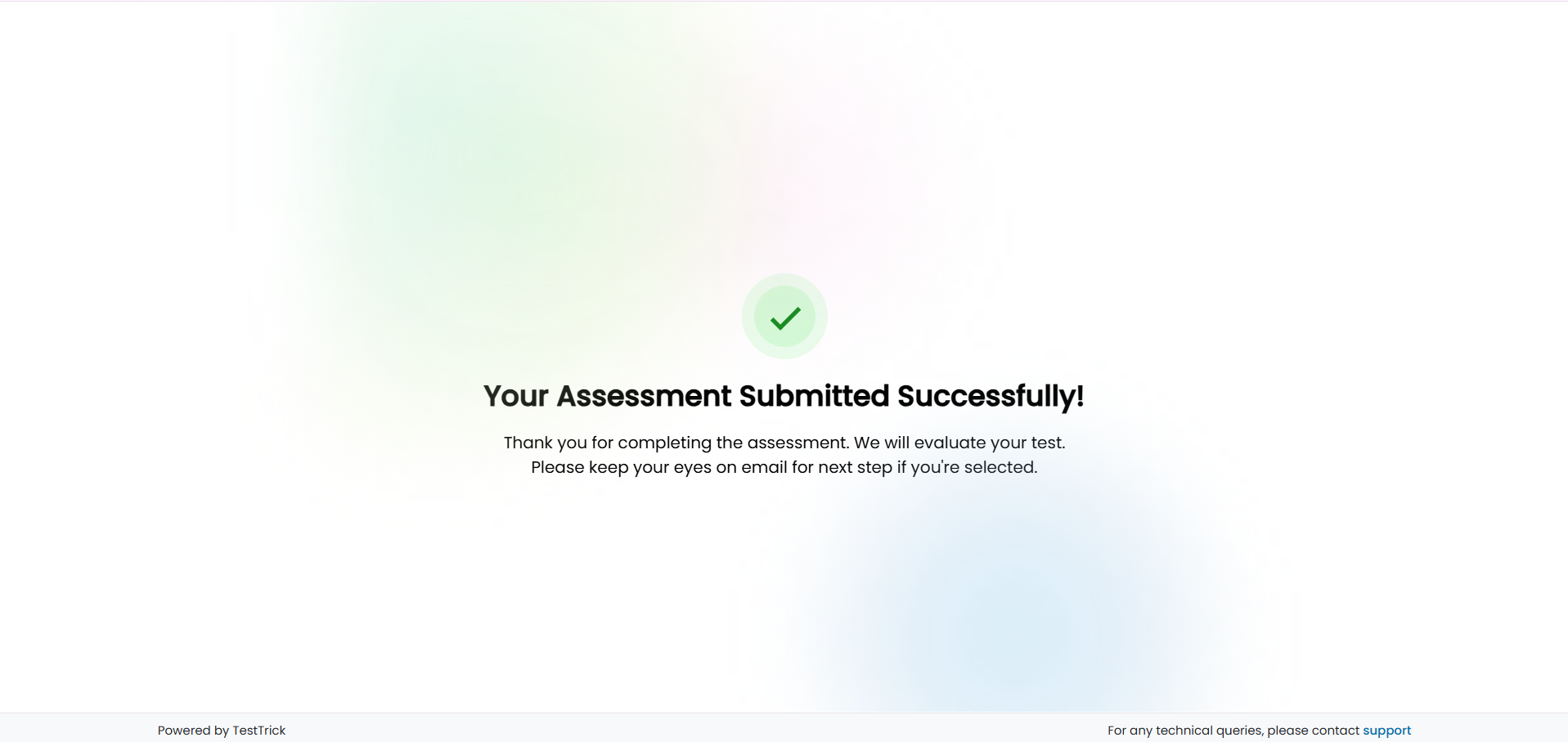
Completion Message:
Customize the message displayed to candidates after they complete the assessment
-
-
Rich Text Editor Support:
Format your content using headings, bold, lists, links, emojis, and more to create clear and engaging communication
This ensures candidates receive the right information at key points in their journey.
Summary
Candidate Access settings in TestTrick allow you to:
- Control link expiry behavior
- Set assessment link validity up to 30 days
- Manage candidates who exit or face link expiration
- Extend access and send reminders when needed
These controls ensure both security and flexibility in managing candidate participation.