.png)
Create Multiple Choice Questions (MCQs) in Test
TestTrick allows you to add Multiple Choice Questions (MCQs) to your tests to evaluate a candidate’s knowledge, accuracy, and decision-making skills. MCQs can be configured as single-select or multi-select questions.
Step 1: Open the MCQ Editor
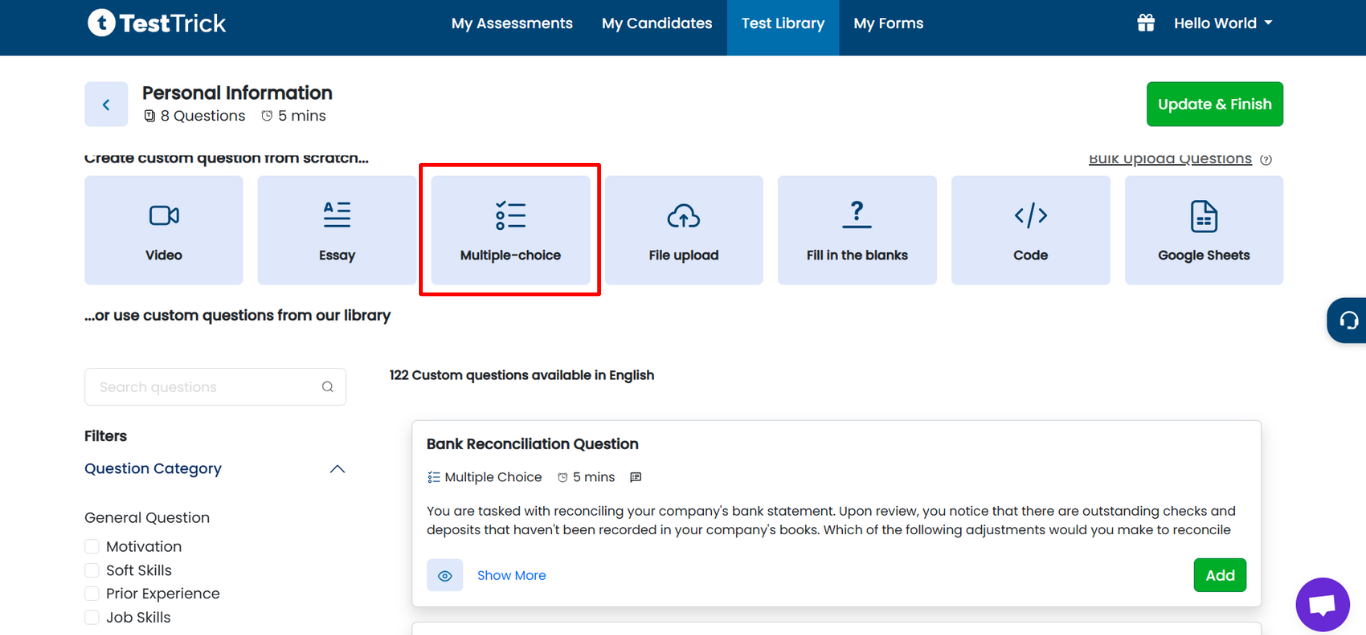
- Log in to TestTrick and navigate to Step 2 (Add Questions) during test creation.
- Click on the Multiple Choice Question card to open the editor.
Step 2: Select Question Type
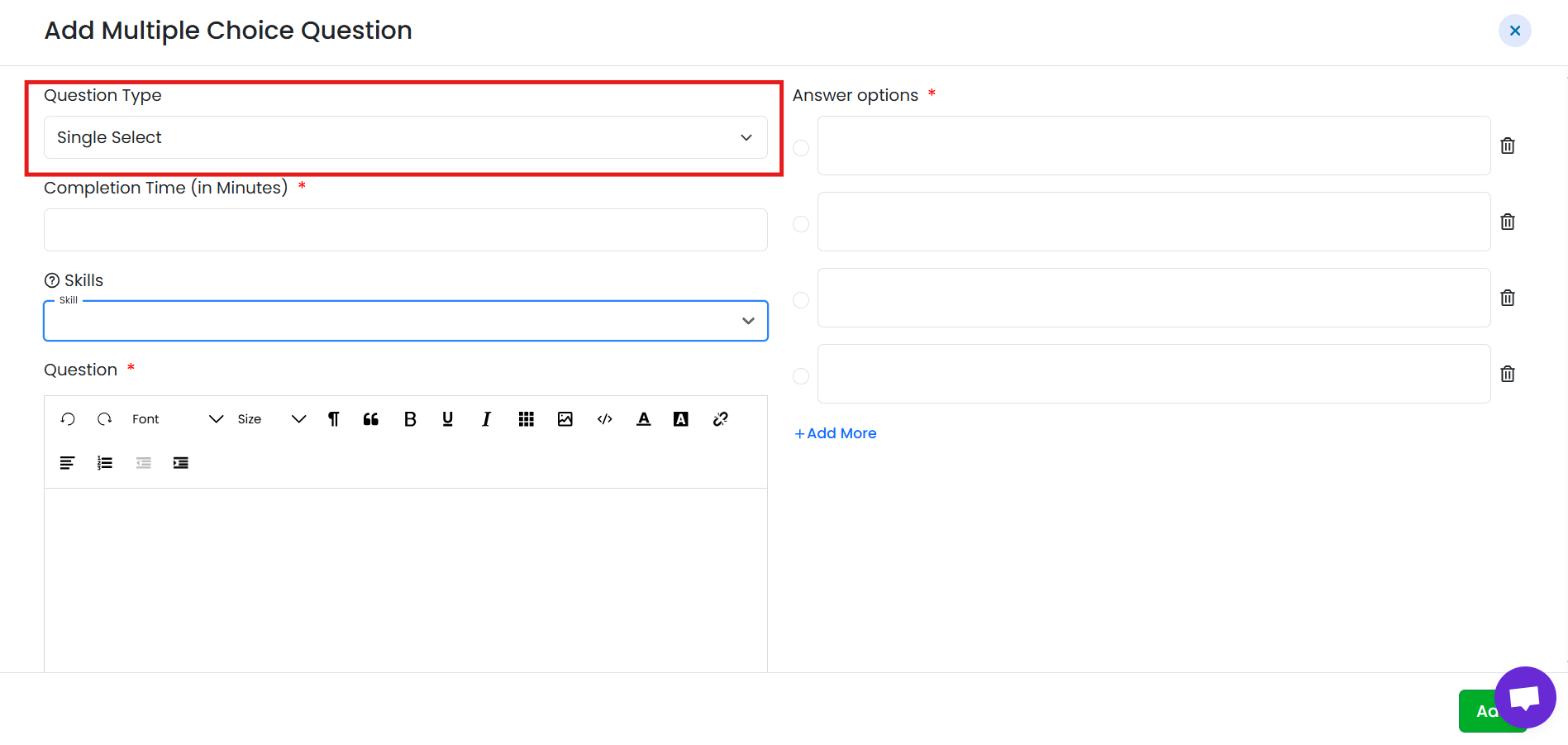
Choose the MCQ type based on your requirement:
- Single Select
-
Candidates can select only one correct option.
Multi Select
- Candidates can select multiple correct options.
-
Step 3: Add Question Description
- Enter the question text in the description field.
- Make the question clear and unambiguous so candidates understand what is being asked.
Step 4: Set Completion Time
- Define the time limit for the question if your test uses question-wise timing.
- Candidates must answer within the allotted time.
Step 5: Add Answer Options
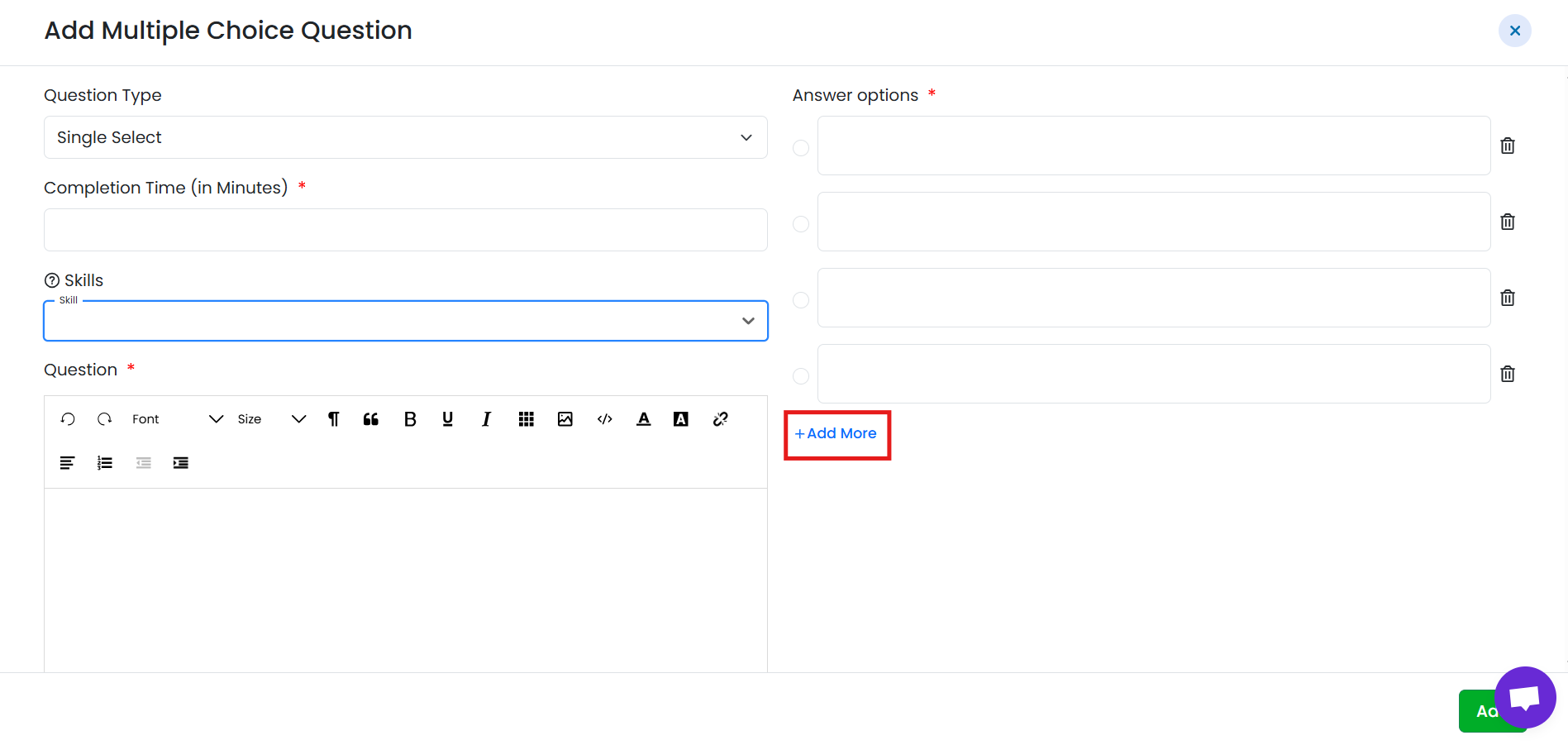
- Add up to 5 answer options.
- Click Add More to include additional options (up to the allowed limit).
- Mark the correct option(s) based on the selected question type.
Step 6: Set Score
- MCQs are always scorable and cannot be marked as unscorable.
- The default score is 1.
- You can change the weightage if required to give more importance to the question.

Step 7: Save the Question
- Review the question, options, timing, and score.
- Click Save to add the MCQ to the test.
- The question will appear in the test question list and can be edited, or deleted later.
Candidate Experience
- Candidates view the question and available options.
- They select one or more answers depending on the question type.
- The response is automatically evaluated based on the correct answers.
Summary
Multiple Choice Questions in TestTrick allow you to:
- Create single-select or multi-select questions
- Set completion time per question
- Add up to 5 answer options
- Assign automatic scoring (MCQs are always scorable)
- Efficiently evaluate candidate knowledge and accuracy