.png)
Create a File Upload Question in Test
TestTrick allows you to add File Upload Questions to your tests. These questions enable candidates to upload a file as their response, making them ideal for evaluating assignments, portfolios, documents, designs, or project work.
Screenshot idea: File Upload Question card in Step 2 of Test editor.
Step 1: Open File Upload Question Editor
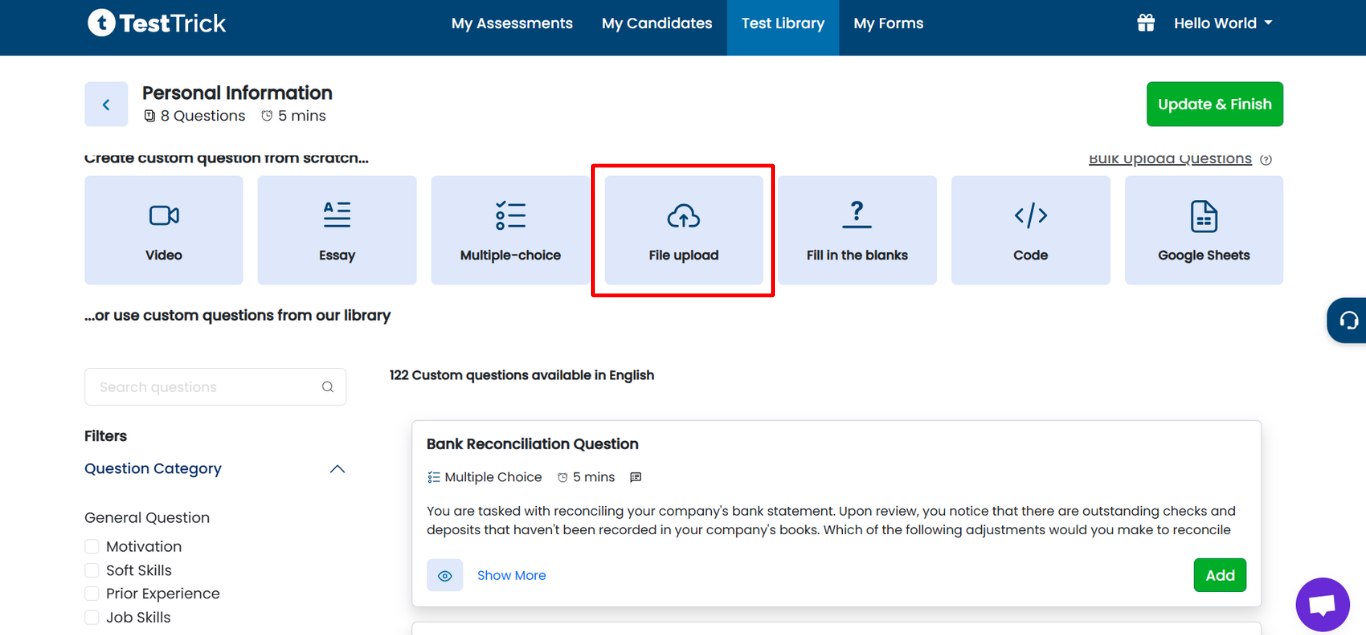
- Log in to TestTrick and navigate to Step 2 (Add Questions) during test creation.
- Click on the File Upload Question card to open the editor.
Step 2: Add Question Description
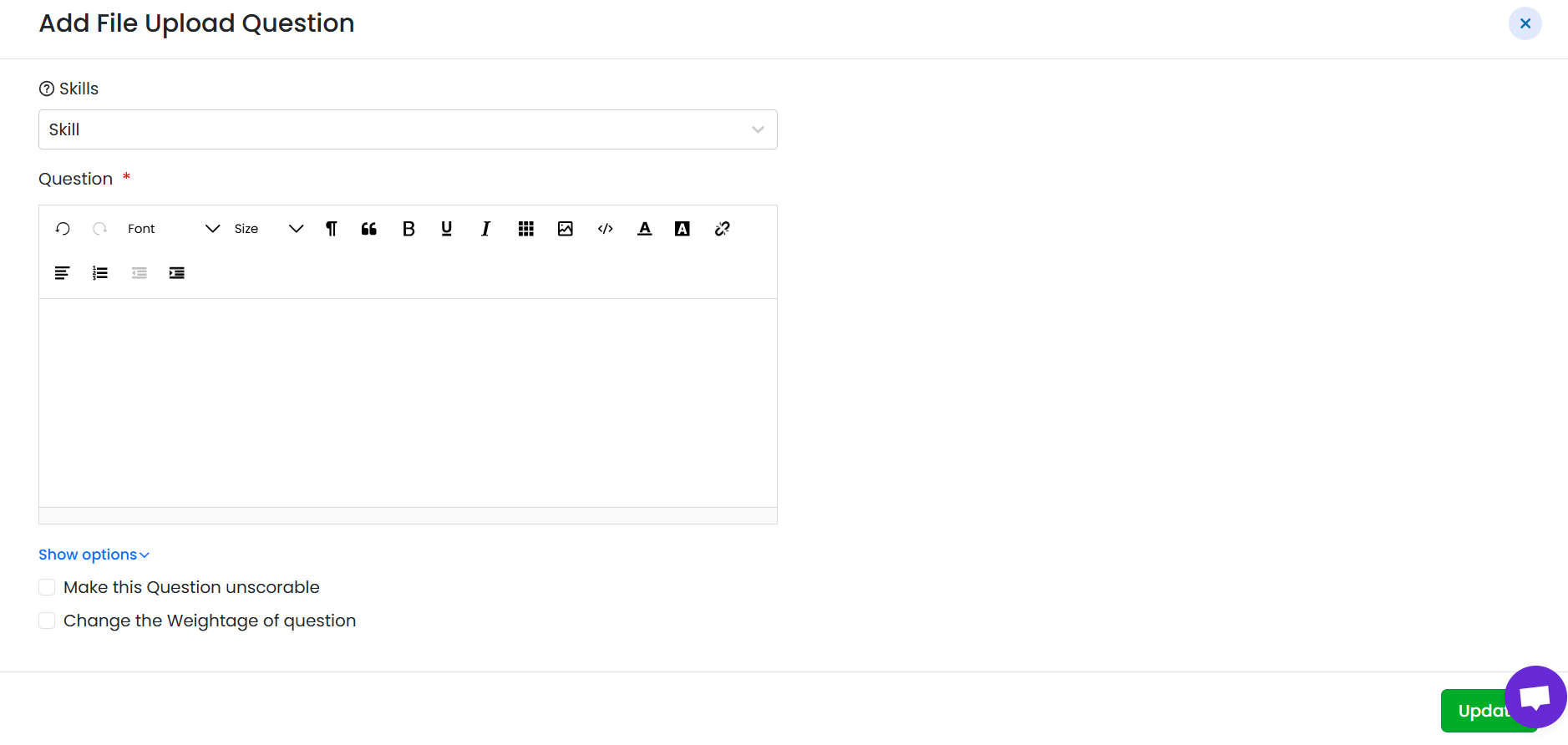
- Enter the question description explaining what the candidate needs to upload.
- Clearly mention file expectations such as content, format, or guidelines if needed.
Example:
“Upload a PDF explaining your approach to solving the given problem.”
Step 3: Add Skills (Optional)
- Tag skills that this question is intended to assess.
- Skill tagging is for internal reference only and helps with evaluation and reporting.
- It does not affect the candidate’s test experience.
Step 4: Set Score
File upload questions support both scorable and unscorable modes:
- Default (Scorable)
- Default score is 1.
-
You can change the weightage to increase the contribution of this question to the total score.
Unscorable
- Mark the question as unscorable if you want to evaluate it manually without affecting scores.
- Unscorable questions do not contribute to the candidate’s total or average score.
File upload questions are typically reviewed and scored manually by the evaluator.
Step 5: Save the File Upload Question
- Review the description, skills, and score settings.
- Click Save to add the question to your test.
- The question will appear in the test question list, where it can be edited or deleted.
Supported Formats:
.xls , .csv , .xlsx , .txt , .doc , .docs , .docx , .ppt , .pptx , .pdf , .odp , .png , .jpg , .bmp , .gif , .psd
Maximum File Size: Up to 400 MB
Note: This file format and size information is also shown to candidates during the assessment so they know which file types are supported.
Candidate Experience
- Candidates see the question description.
- They upload the required file as their response.
- The uploaded file is available to evaluators for manual review and scoring.
Summary
File Upload Questions in TestTrick allow you to:
- Collect documents or project files from candidates
- Add clear descriptions and instructions
- Tag skills for internal evaluation
- Use scorable or unscorable scoring modes
- Manually review and evaluate candidate submissions