.png)
Create a Fill in the Blank Question in Test
TestTrick allows you to add Fill in the Blank questions to evaluate a candidate’s accuracy, conceptual understanding, and attention to detail. You can create multiple blanks within a single question and define multiple correct answers for each blank.
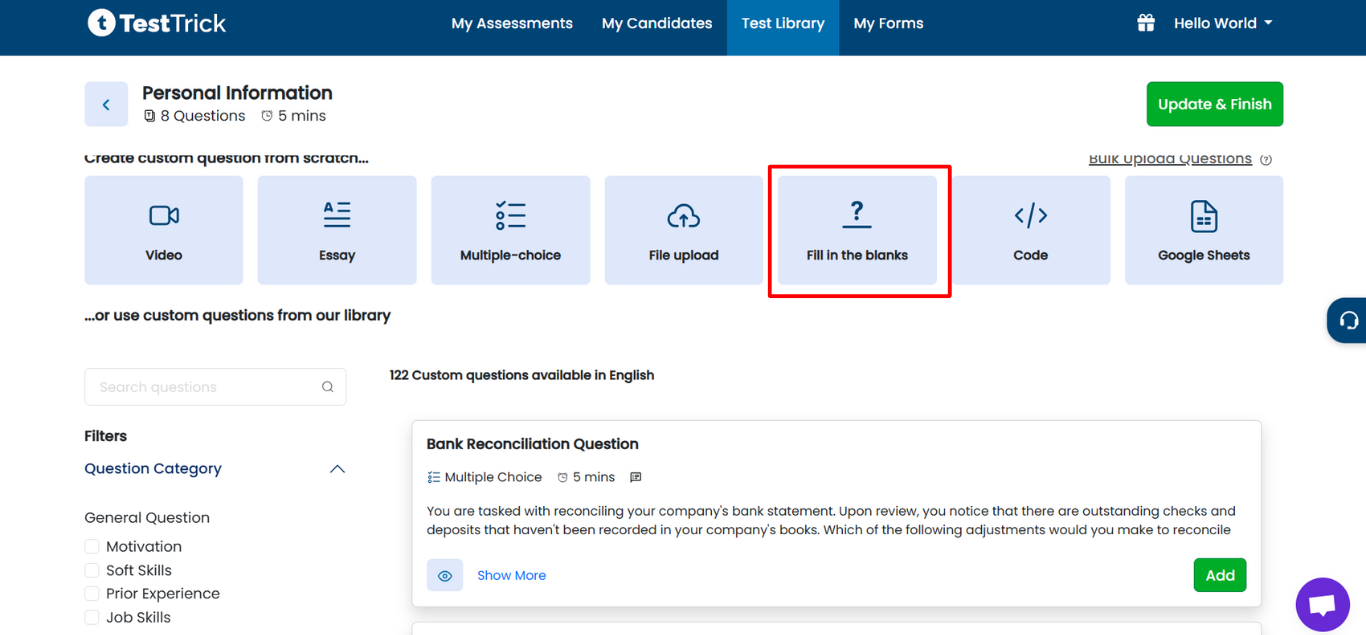
Step 1: Open Fill in the Blank Question Editor
- Log in to TestTrick and go to Step 2 (Add Questions) during test creation.
- Click on the Fill in the Blank Question card to open the editor.
Step 2: Add Question Description
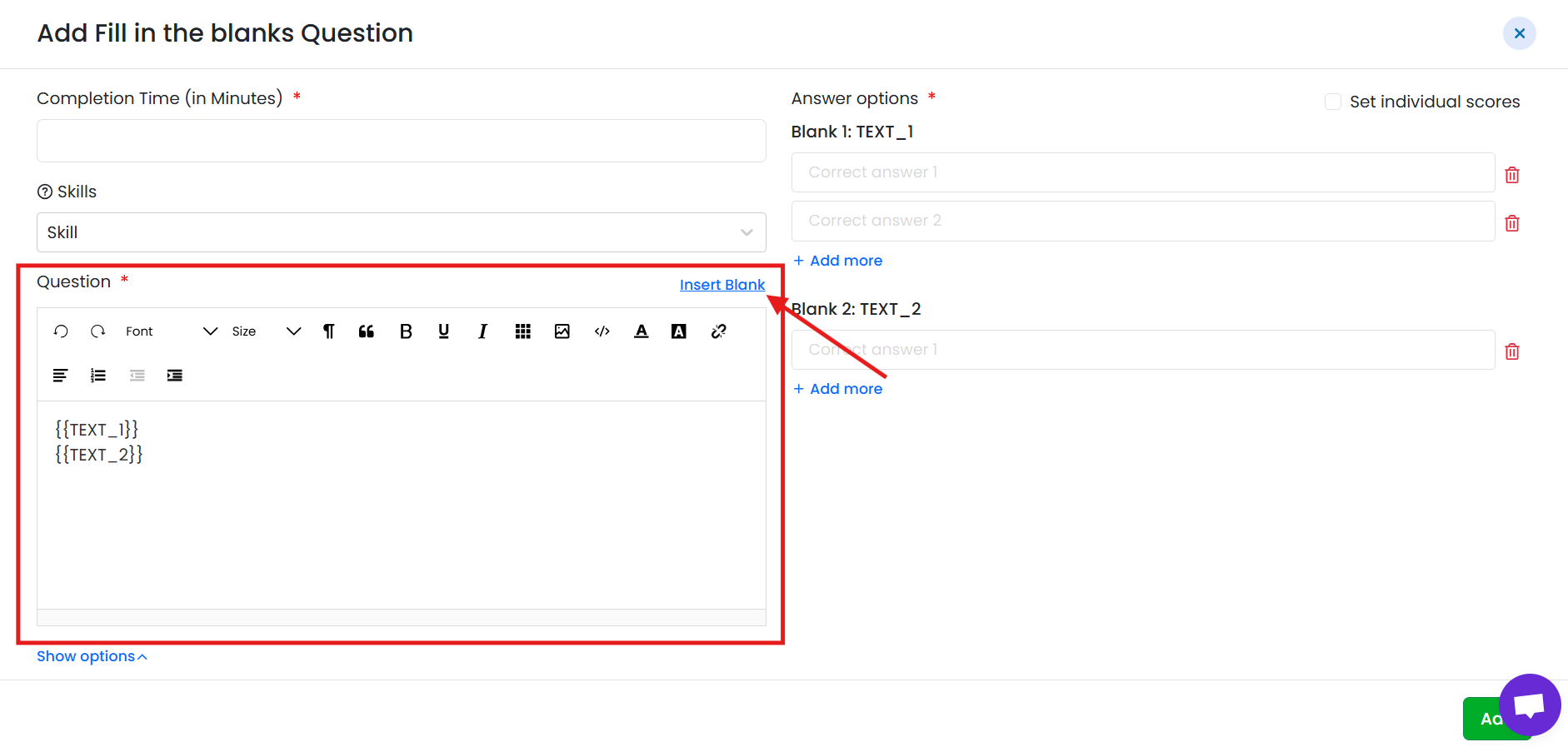
- Write the question description in the text editor.
- Place the cursor where you want a blank to appear.
- Click Insert Blank to create a blank at that position.
- You can insert multiple blanks within the same question.
Example:
“Python is a ______ programming language used for ______.”
Step 3: Add Answers for Each Blank
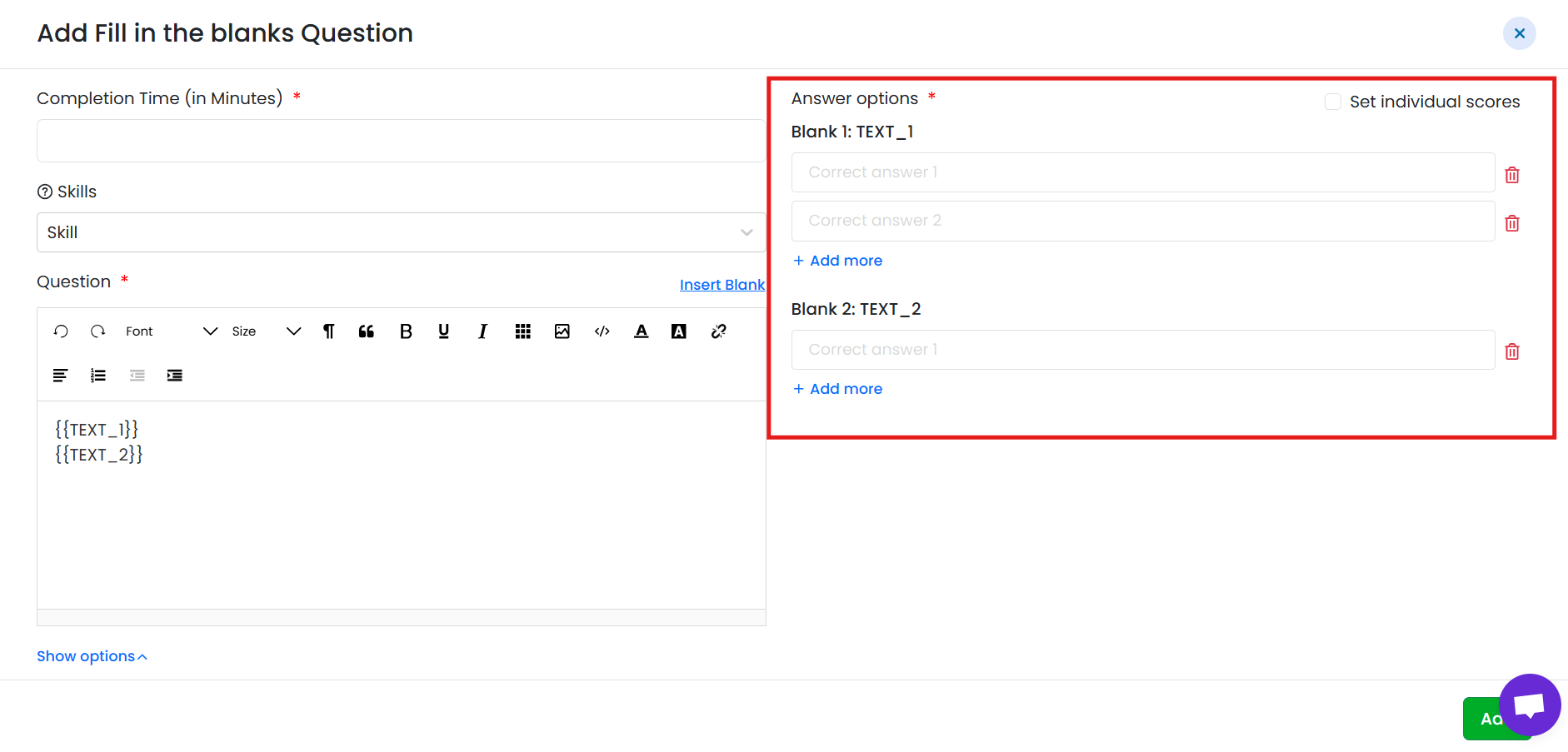
- For each blank, add the correct answer(s).
- You can add multiple correct answers for a single blank.
- If the candidate’s answer matches any of the correct answers, the blank is marked correct.
Step 4: Set Time for the Question
- If your test uses question-wise timing, set the time limit for this question.
- Time configuration works the same as other question types.
Step 5: Add Skills (Optional)
- Tag skills the question is intended to assess.
- Skills are for internal reference only and do not affect the candidate’s experience.
Step 6: Set Score
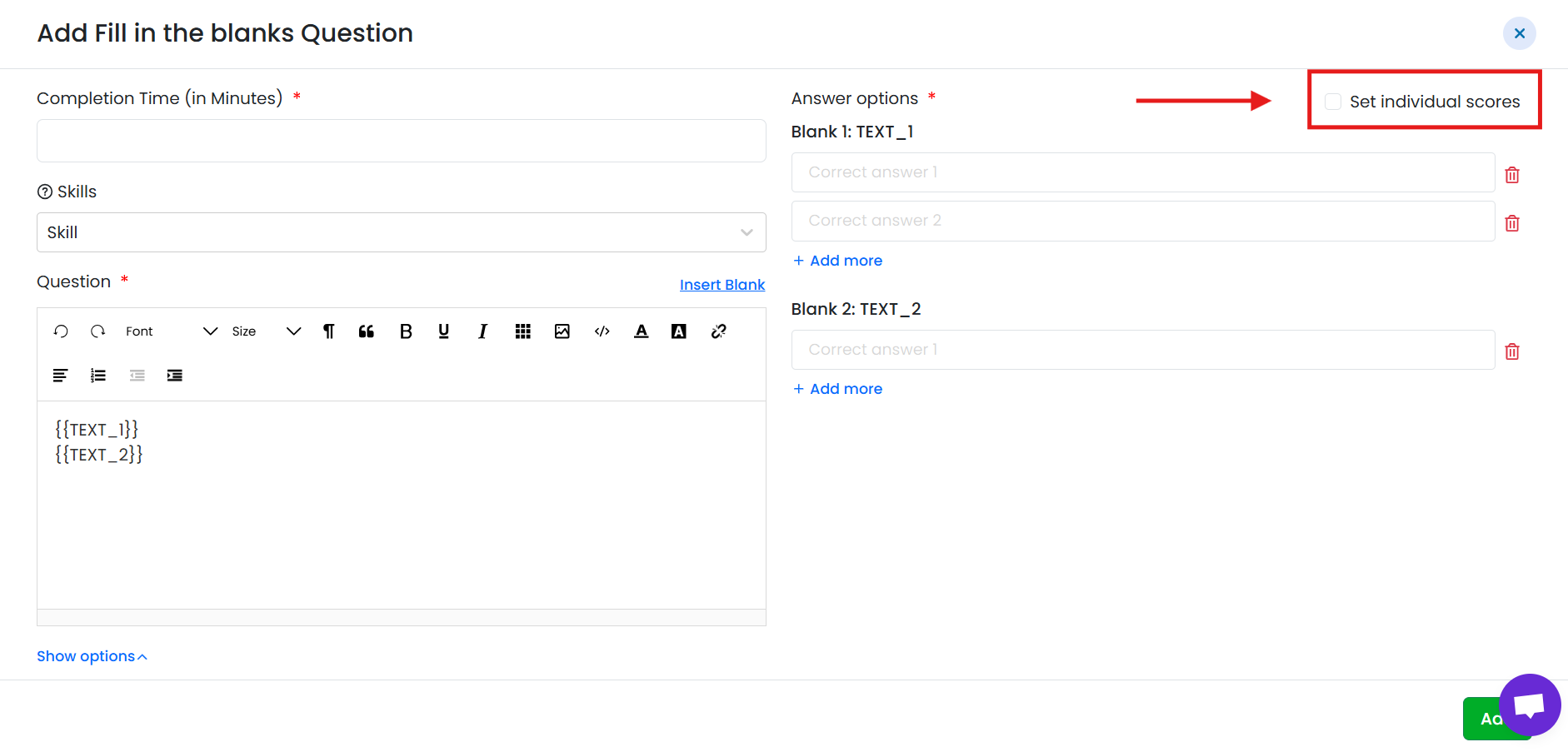
Fill in the Blank questions support individual blank scoring:
- By default, the question is scorable with a total score of 1.
-
You can also assign individual scores to each blank.
When individual blank scores are set:
- The Show Options section is automatically disabled.
- The total question score is calculated based on the sum of blank scores.
Scoring is automatic based on whether the candidate’s answers match the defined correct answers.
Step 7: Save the Question
- Review the question, blanks, answers, timing, skills, and score.
- Click Save to add the question to the test.
- The question will appear in the test list and can be edited or deleted later.
Candidate Experience
- Candidates see the question with blank
- They type answers directly into the blanks.
- Scoring is done automatically based on exact answer matching.
Summary
Fill in the Blank questions in TestTrick allow you to:
- Create multiple blanks in a single question
- Add multiple correct answers per blank
- Assign individual scores per blank
- Use standard time and skill settings
- Automatically evaluate candidate responses