.png)
Export Candidates Assessment Reports
TestTrick allows you to download summary reports for candidates in both PDF and Excel formats. You can download reports for Selective candidates or multiple candidates at once.
How to Export Candidates Assessment Report
To send reminder emails to candidates in TestTrick, follow these steps:
Open the Assessment
- Click on the assessment from active for which you want to send reminder emails.

Go to the Candidates Section
- Navigate to the All Candidates section to view the list of invited candidates.

Select the candidate(s) whose reports you want to download.
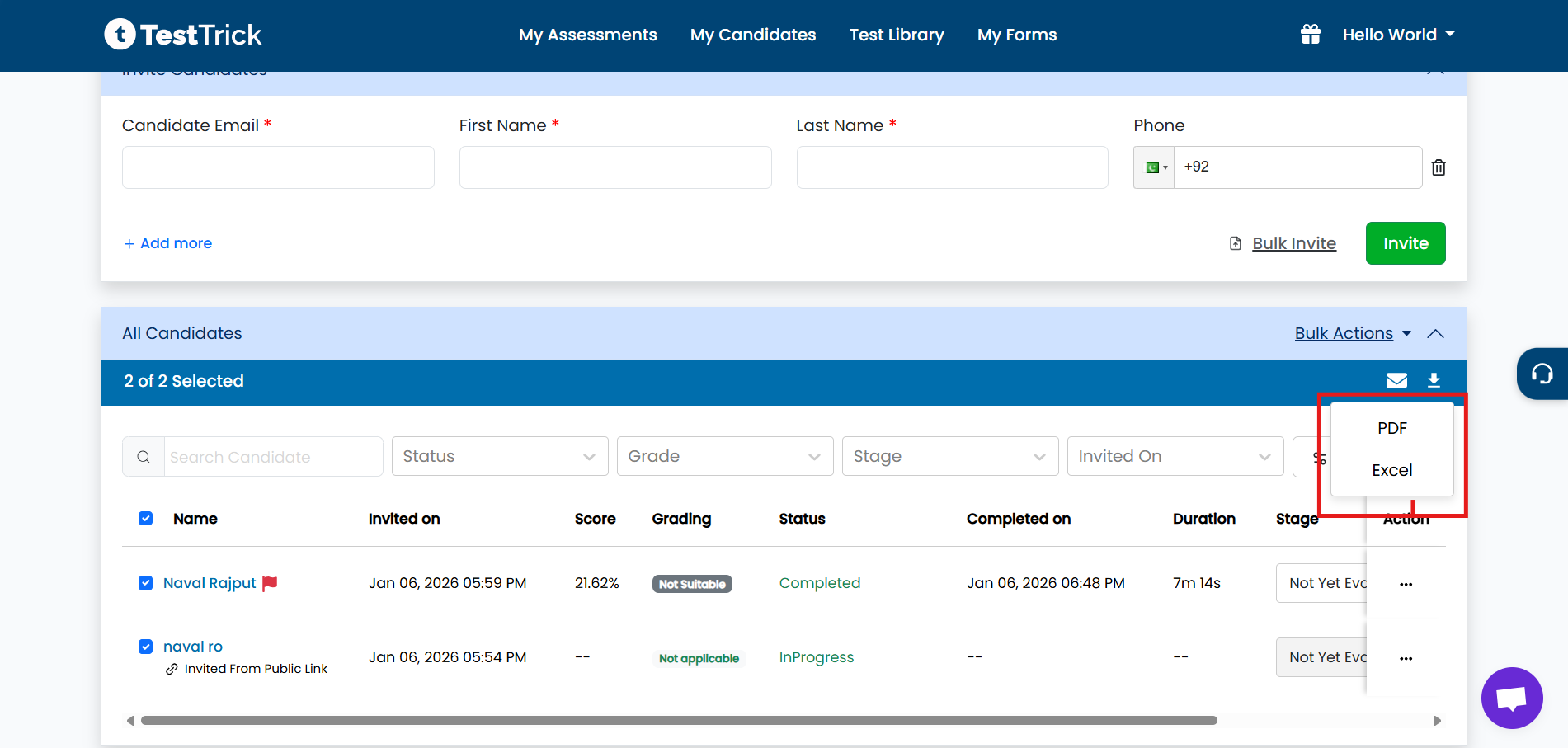
-
Click the Download icon.
Choose the required format:
- Excel
You can download reports for:
- Selected candidates, or
- All candidates in one action
What the Summary Report Includes
- Candidate details
- Assessment status
- Overall and test-wise scores
- Skill-wise performance
- Proctoring and evaluation data
This feature helps you review, share, and archive candidate performance efficiently.